What is Docsense?
Docsense is documentation search for Docusaurus.
It indexes your Markdown and MDX files when you build your site, then serves search from a static JSON file that ships with your docs. There is no Algolia account, no crawler, and no separate search server.
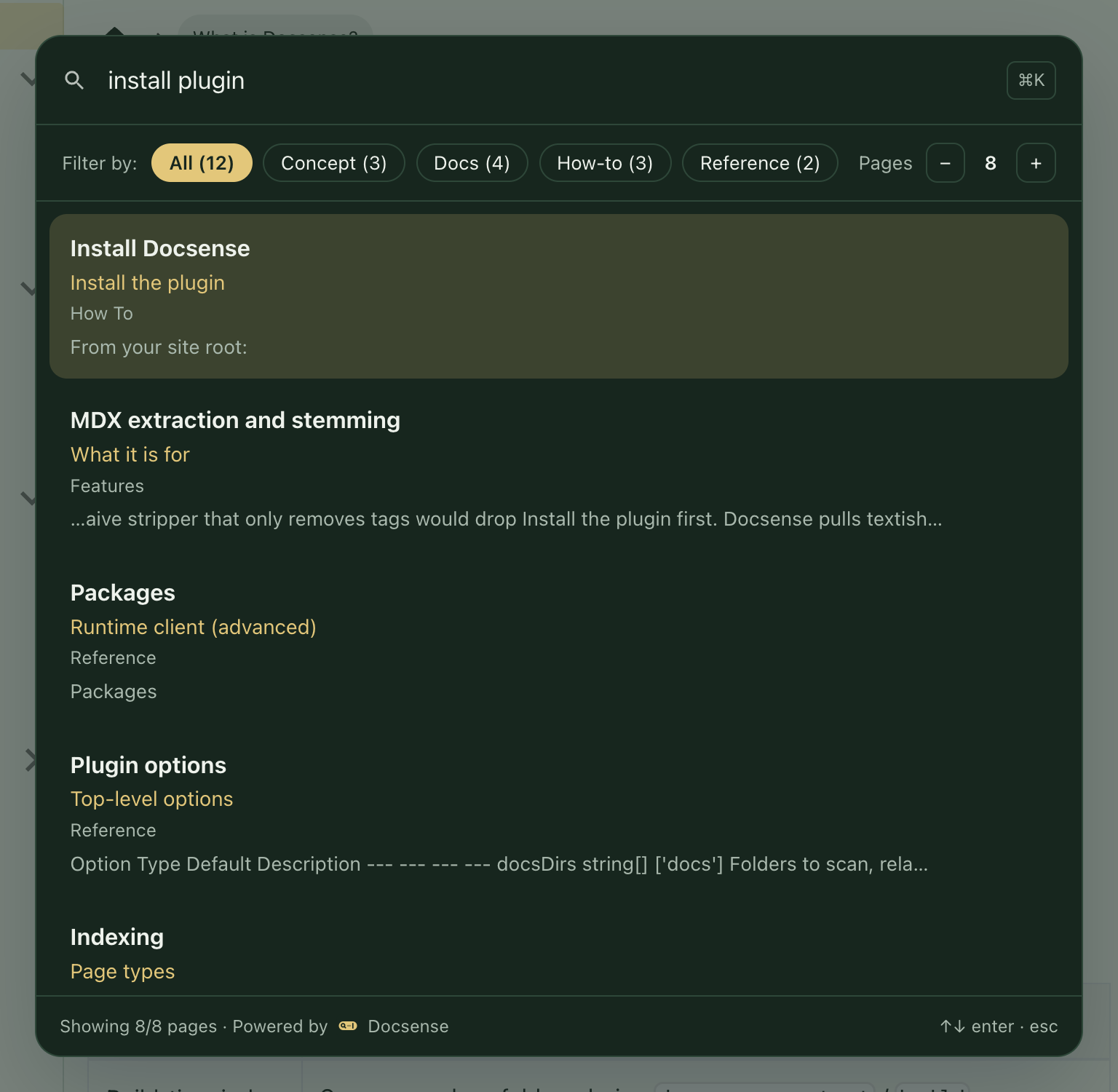
Press ⌘K (macOS) or Ctrl+K (Windows/Linux) on this site to try it.
Who it is for
Use Docsense if you want to:
- Add search to a Docusaurus site without a hosted search product
- Keep the search index in sync with every docs deploy
- Search private or internal docs without sending content to a third-party crawler
- Own and inspect the index file yourself
What you get
| Feature | What it does |
|---|---|
| Build-time index | Scans your docs folders during docusaurus start / build |
| Search modal | Navbar trigger plus keyboard shortcut |
| Section results | Hits point to headings, not only page titles |
| Filters | Narrow results by page type (How-to, Concept, Reference, and more) |
| Page limit | Default 8 pages. Readers change the count with − / +. The − control stops at 3 (it will not go lower). The + control stops at 20. |
| Typo tolerance | Finds results even when a query has small spelling mistakes |
| Custom labels and CSS | Change copy, shortcut, and colors to match your site |
How it fits together
- You add the
docusaurus-plugin-docsenseplugin. - On each build, Docsense reads your docs and writes
static/docsense/search-index.json. - Readers open search in the browser. Queries run locally against that JSON file.
Next steps
- Why Docsense - The market problem and business case for local docs search.
- Install Docsense - Add the plugin and rebuild once.
- Features overview - What ships today and what is on the roadmap.
- How Docsense works - Build-time index and in-browser search flow.
- Compare open-source Docusaurus search - Choose among Docsense, easyops, Orama, Pagefind, and DocSearch.